How to Use Digital Stickers in Goodnotes (3 Easy Methods)
You can add pre-cropped PNG stickers to decorate your planners and Journals in Goodnotes in various ways. Here are 3 different way to add them to your Goodnotes planner.
Method 1: Copy and Paste Stickers
Locate the sticker you want to add, either on another page within the planner document or on a sticker book.
Click on the sticker, a window will then populate, click copy. Locate where you want to place your sticker click and hold your apple pencil down until a window populates and click paste.

Method 2: Add to elements
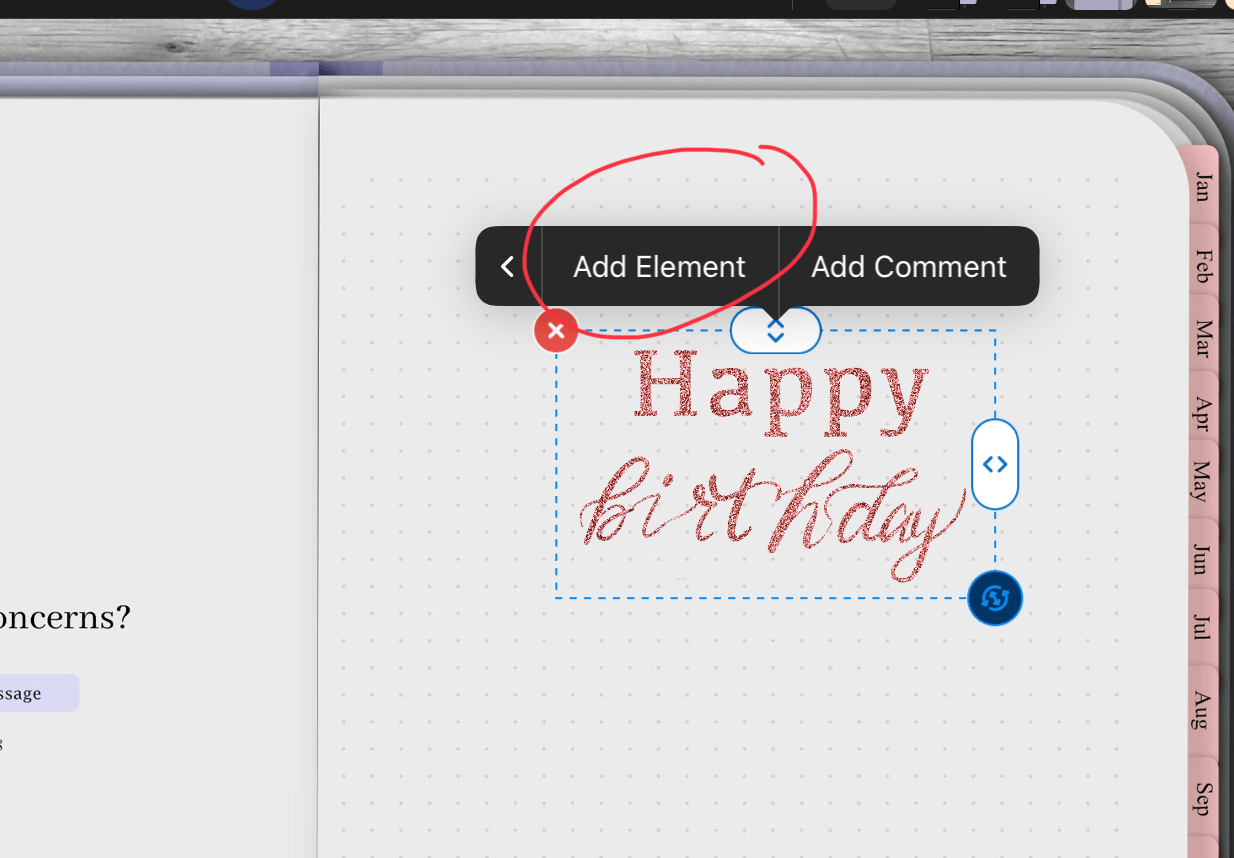
Add a sticker to your Goodnotes planner with the lasso tool still selected, click on the sticker until a window pops up and click add element. From there you can individually add stickers to an elements collection.
-You can also bulk add stickers to Goodnotes elements, see this blog post here
Method 3: Drag from sticker book
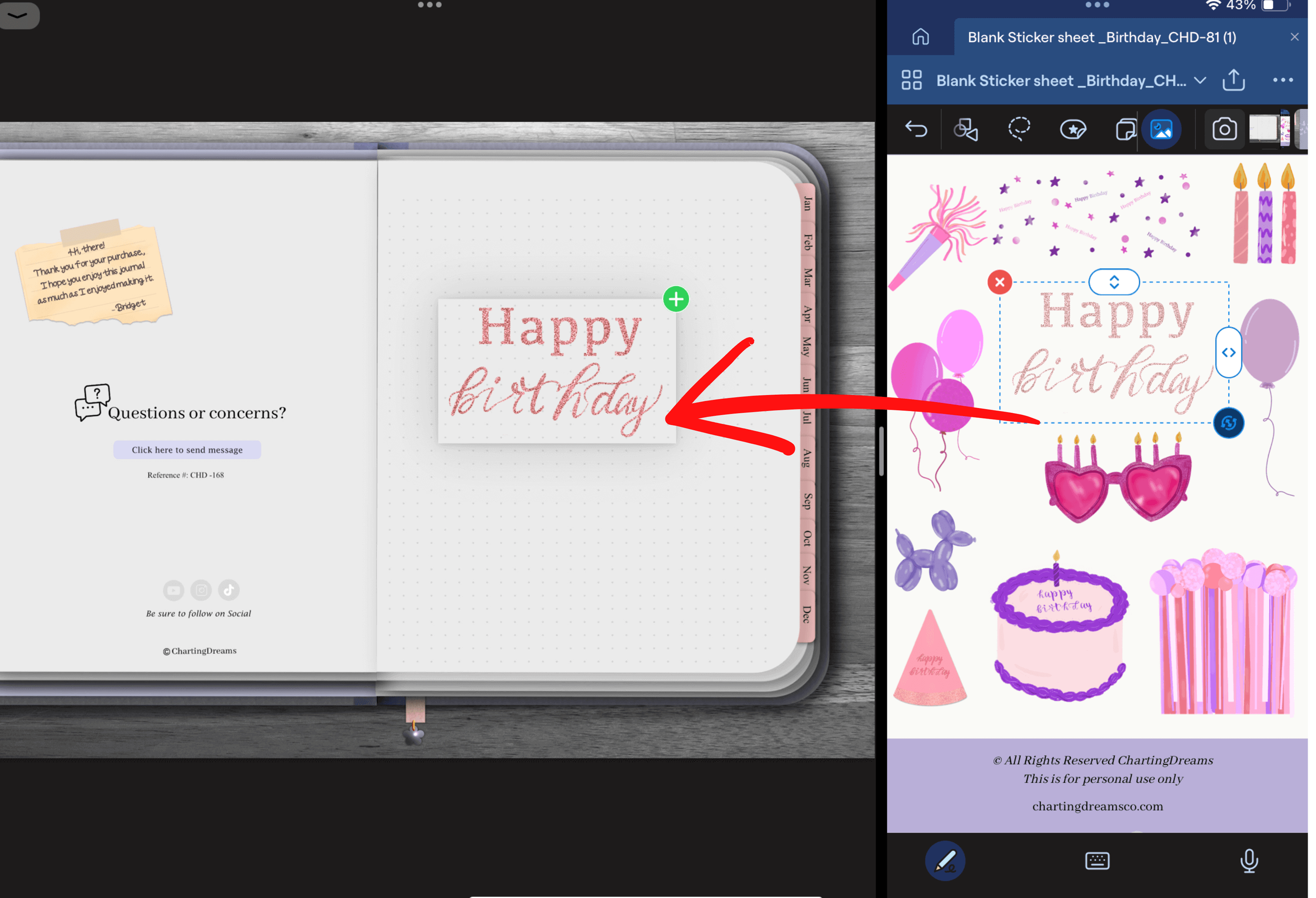
This is my personal favorite. I like being able to see all my stickers organized and dragging stickers to my planner feels most like the physical version of planning.
In split screen open your planner and your sticker book. With the lasso tool selected click on your sticker with your apple pencil and with one fluid motion drag over to your planner.
Conclusion: Personalize Your Digital Sanctuary
Adding digital stickers is the best way to transform a standard planning layout into a highly personalized, creative canvas that reflects your unique style. Whether you prefer copying and pasting on the fly, saving your favorites to your Elements toolbar, or dragging graphics directly from a split-screen sticker book, decorating your pages makes your planning routine feel less like a chore and more like a therapeutic creative outlet.
Shop the Soft Pastel Tutorial Aesthetic
Ready to start decorating your own pages right now?
Embrace the beautiful, coquette aesthetic featured in this tutorial with our all-inclusive Coquette Dreams Dotted Journal Bundle. It comes packed with expressive planning templates and adorable girly graphics. Pair it flawlessly with the Birthday Digital Stickers Sheet to begin crafting event countdowns, memory scrapbooks, and celebration alerts across your beautiful new spreads!

Full of pink!
This pink expressive digital system brings creative planning and life together in one place with cute girly stickers.
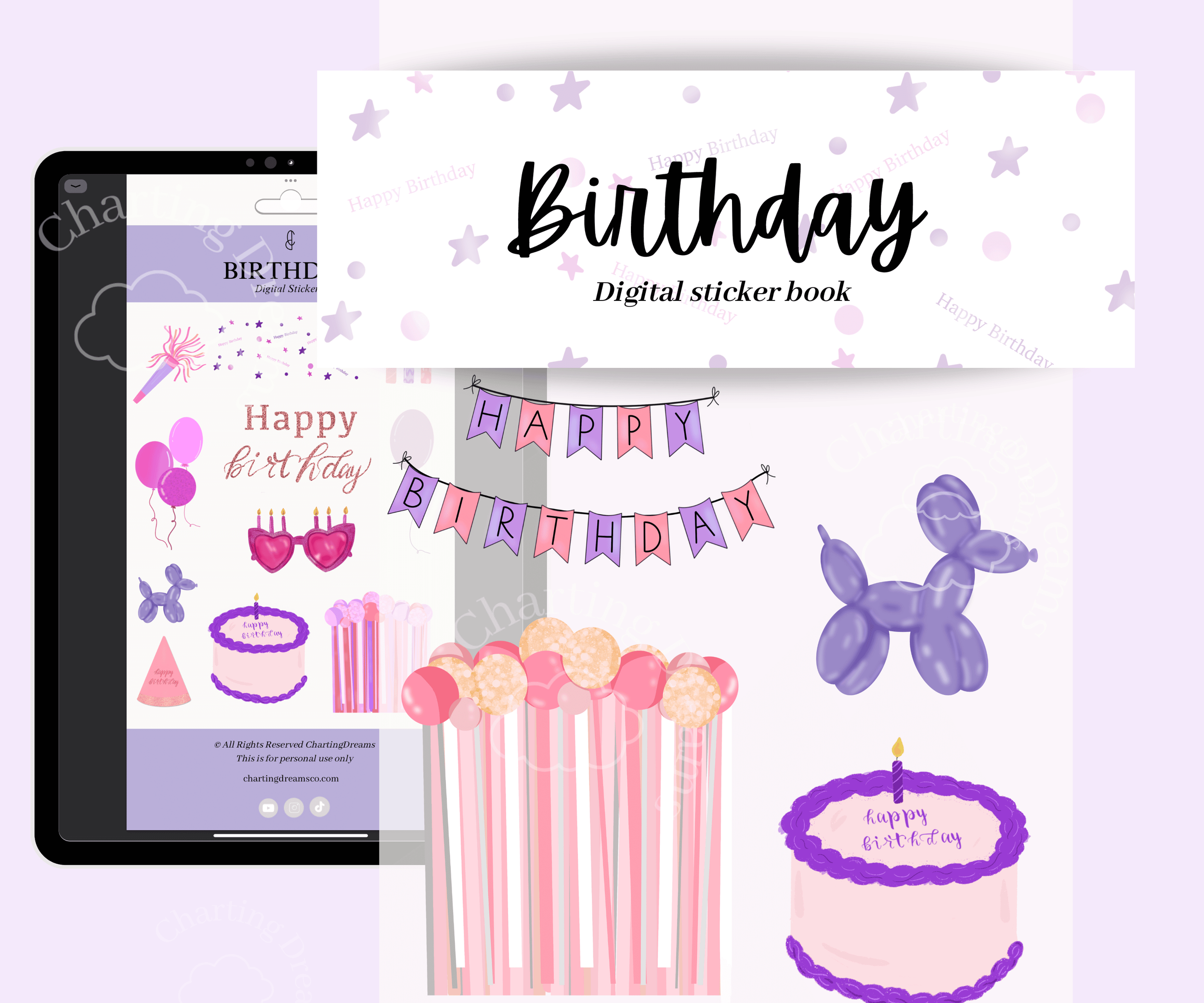
Make birthday memories more fun and organized with themed journal pages for celebrations and events. Perfect for party planning, birthday countdowns, memory keeping, and celebration scrapbooks.
See the video tutorial:
Expand Your Digital Workspace
Now that you have mastered decorative layout placements, learn how to optimize the rest of your Goodnotes application with these easy tutorials:
Design Endless Pages: Never worry about running out of space on your template layouts with Never Run Out of Space: How to Make Your Digital Journal Infinite.
Build Navigational Shortcuts: Connect your decorated pages together seamlessly by learning How to Add Hyperlinks to Any Goodnotes Document.
Save Repeating Elements: Build custom sticker layouts once and reuse them forever with our guide on How to Use Elements in Goodnotes to Reuse Planner Layouts.