How to use Goodnotes in split screen
What is split screen?
On your iPad, you can easily split your screen between two windows, whether it's two different apps or an app and Safari. In this guide, I'll show you how to use Goodnotes in split screen so you can take notes, reference documents, or plan digitally without missing a beat. It is perfect for multitasking and making the most of your iPad!
Benefits of using split screen:
Using the split screen function allows you to quickly plan. You can pull up your calendar, Pinterest; for your Vision Board creation, or use split screen to add stickers; allowing for a more physical feel, hands-on feel.
How to open split screen in Goodnotes:
There are a few different ways to open split view in your iPad.
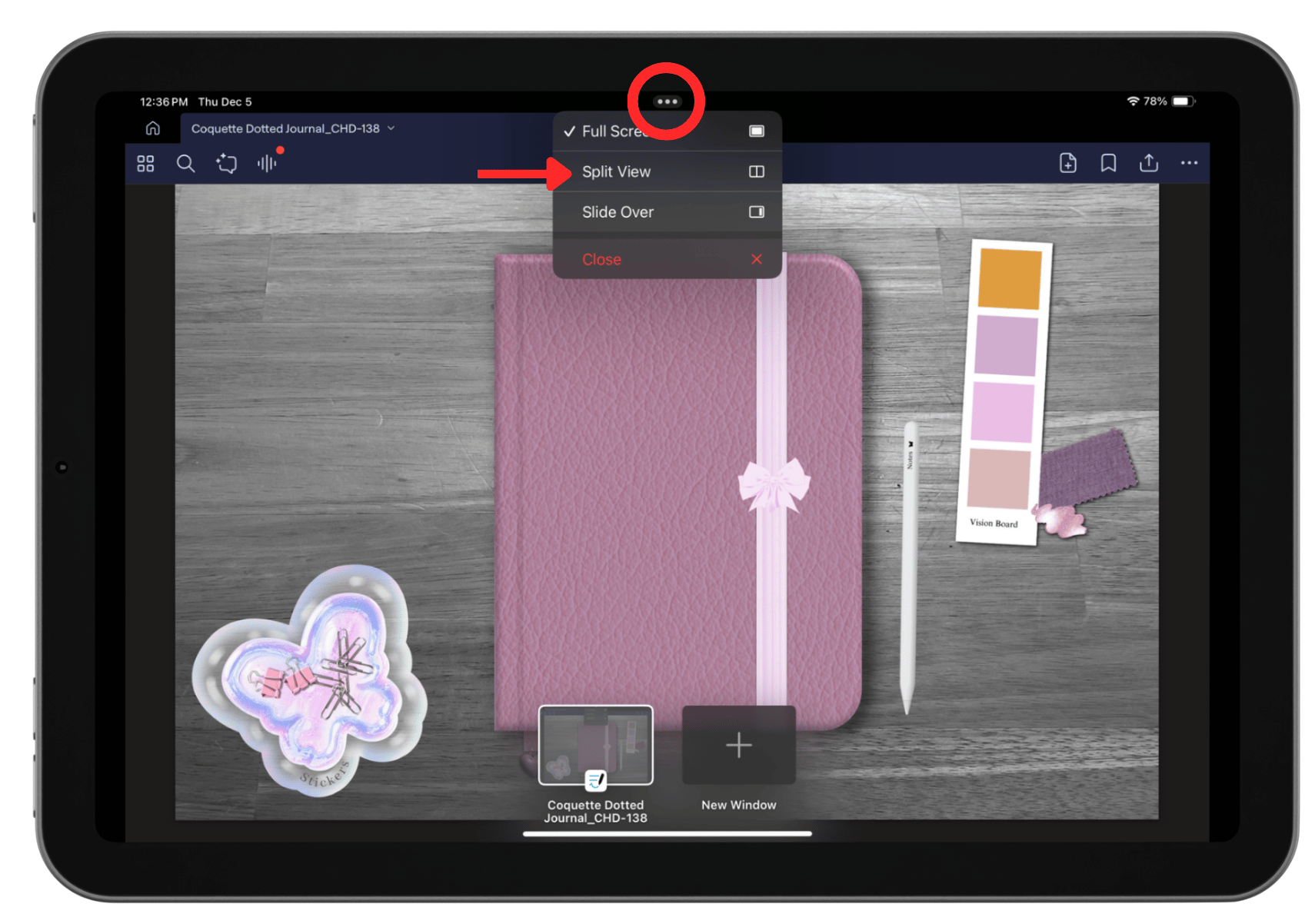
Option 1) Tap on the three dots at the top of your planner and select the split view icon. From there, you can open another Goodnotes document or any other app.
Option 2 ) Slowly swipe up from the bottom of your screen until your app dock appears. Tap and hold any app, then drag it to the left or right side of your screen.
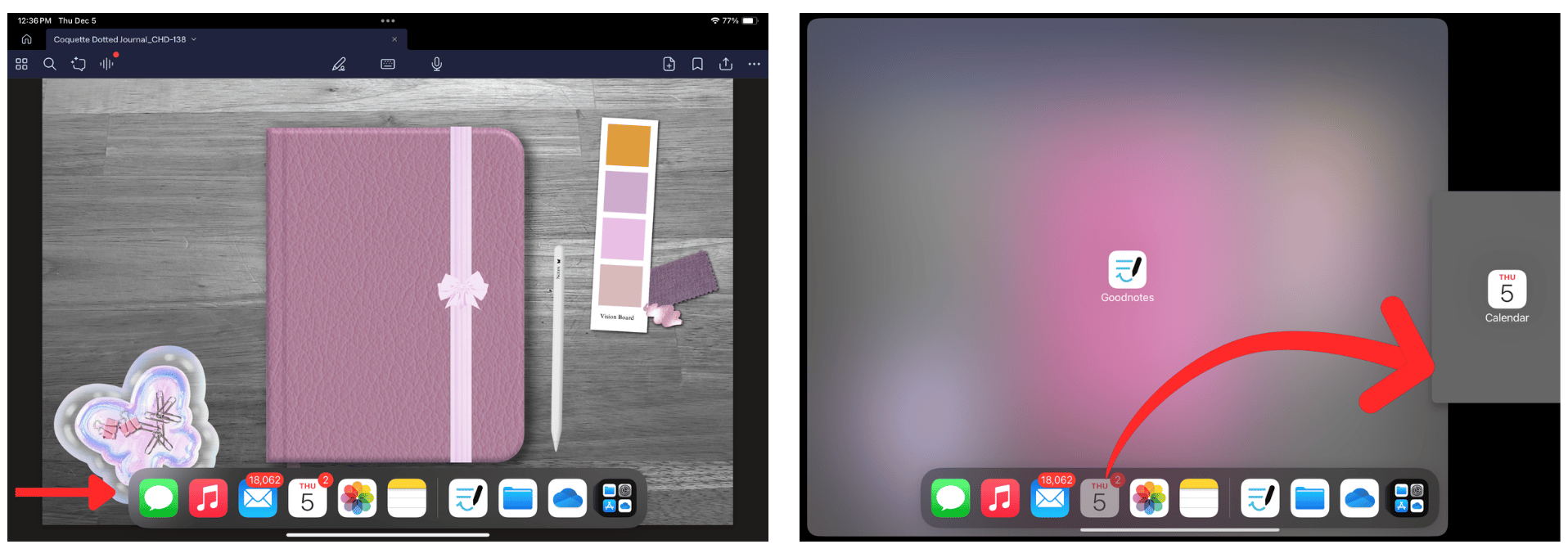
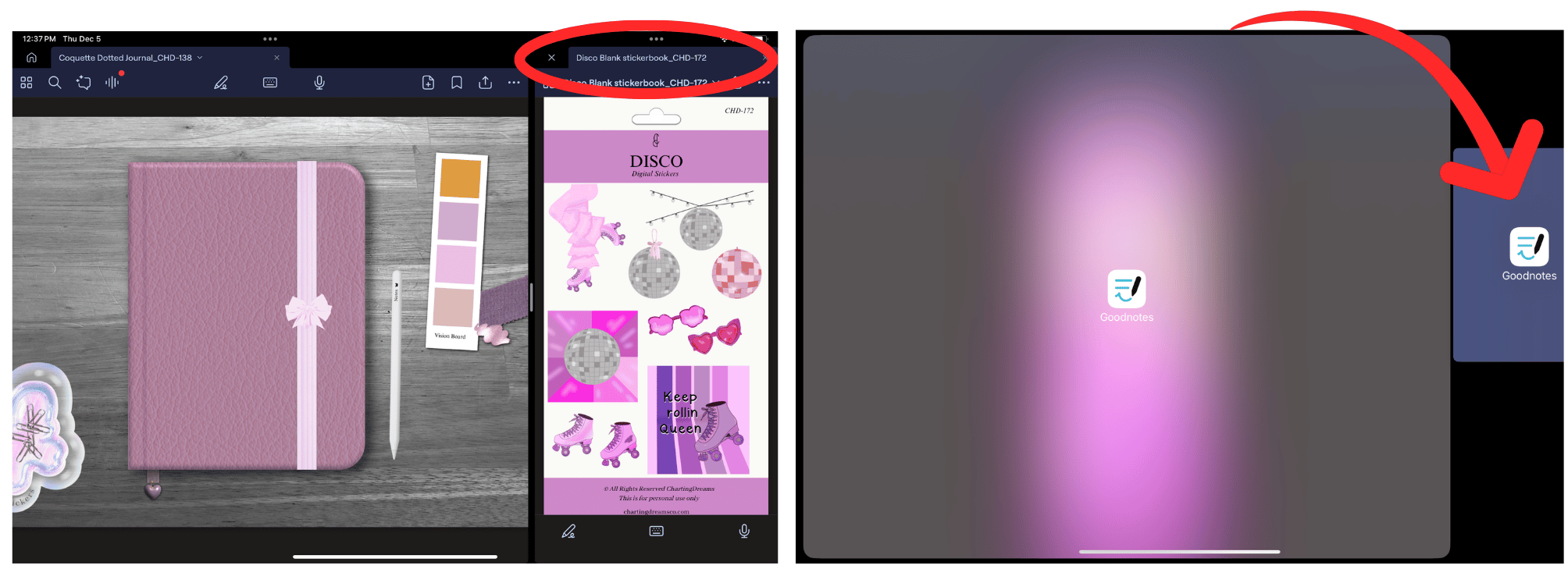
Option 3) Open your first document (like a planner) in Goodnotes. Next, head back to your Goodnotes user dashboard to find a second document (like a sticker book). Tap and hold the document's tab bar, then drag it to the side of your screen to open it in a new window.
Final Thoughts: Design Your Perfect Workspace
Learning to use split screen completely transforms the way you plan and organize on your iPad. It removes the hassle of constantly switching back and forth between tabs, letting you build a fluid, beautiful workspace that works for you.
Grab your Apple Pencil, set up your favorite layout, and start bringing your pages to life!
Ready to level up your setup?
If you love the pink, expressive look used in this tutorial, check out our shop below!
Grab the Coquette Dreams Dotted Journal-Digital Bundle for a complete, cute planning system.
Add some fun, retro energy with the Disco Digital Stickers Sheet.
Happy planning!
📌 Love this tutorial? Save it for later!
Like the stickers/ Journal used in this post? Shop below:

Full of pink!
This pink expressive digital system brings creative planning and life together in one place with cute girly stickers.
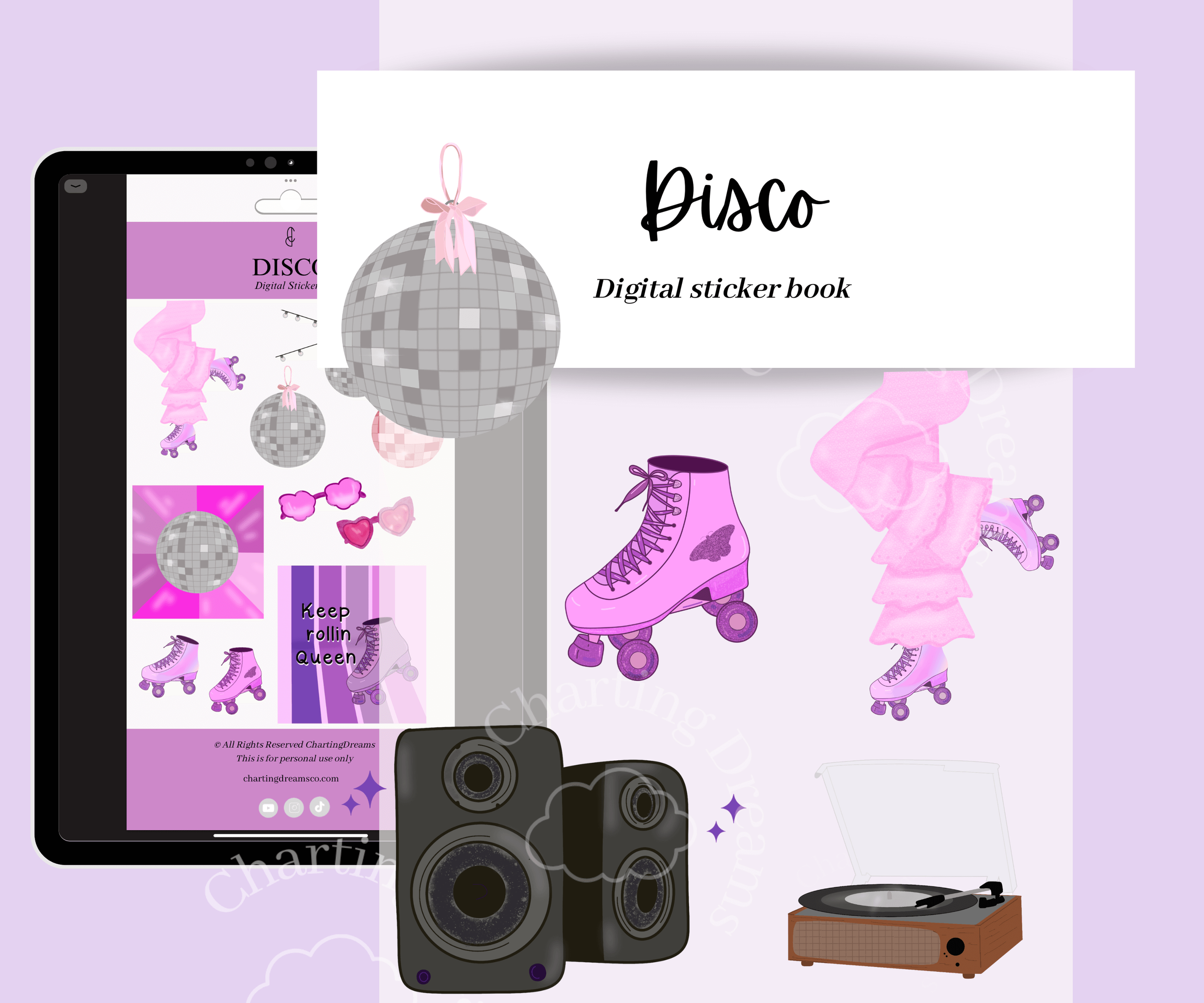
Add retro energy to your digital planner with a fun disco-inspired aesthetic. Perfect for party planning, music journals, celebration spreads, and memory keeping.